Article
Client-Side PBR Tool: Why Browser-Based Is Faster

Discover why client-side texture generation is faster, safer, and cheaper than AI-based or server-side tools.
What Does “Client-Side” Mean?
A client-side PBR tool processes all texture generation directly inside your browser using your device’s CPU/GPU — not on a remote server, not through AI inference pipelines, and not through queued cloud jobs.
This architecture is what powers GenPBR. Instead of waiting on a server to spin up a model or distribute GPU resources, your hardware executes the core texture algorithms instantly.
Because nothing leaves your device unless you export it, client-side tools eliminate:
Server wait times
Upload delays
AI model load and warm-up time
Rate limits and credit throttling
It’s immediate, offline-friendly performance powered by optimized algorithms used in real-time rendering engines.
CPU/GPU Benefits
Modern browsers have access to powerful low-level technologies like:
WebGL / WebGPU
WASM (WebAssembly)
OffscreenCanvas
GPU-accelerated kernels
This unlocks processing capabilities that rival native desktop apps.
Why this matters
Traditional AI-based generators depend on cloud GPUs. Even “fast” ones have overhead:
Serialization → Upload → Queuing → Compute → Download
Cold boot issues
Model loading
Bandwidth limitations
Client-side tools skip all of this.
If your computer can run a 3D game, it can run GenPBR's generator instantly.
Privacy & Speed Advantages
Because client-side PBR tools operate entirely on your device:
✔ 1. No Uploading Sensitive Assets
Studios don’t want unreleased textures or scanned materials leaving their pipeline.
Client-side tools keep everything local — a major win for enterprise users.
✔ 2. No Server Downtime
If a service is busy or overloaded, AI generators slow down.
Client-side tools don’t depend on cloud capacity.
✔ 3. Instant Iteration
Texture artists often regenerate dozens of variants.
No queues. No throttling. No credits. No limits.
✔ 4. Costs Stay Low (or Free)
Running generation on the user’s device allows the platform to stay:
More affordable
More scalable
More stable
AI systems that rely on cloud GPUs get expensive fast — which is why many AI texture generators charge a premium. Client-side tools avoid this entirely.
Examples From GenPBR
Here’s where client-side processing shines inside GenPBR:
1. Normal Map Generation
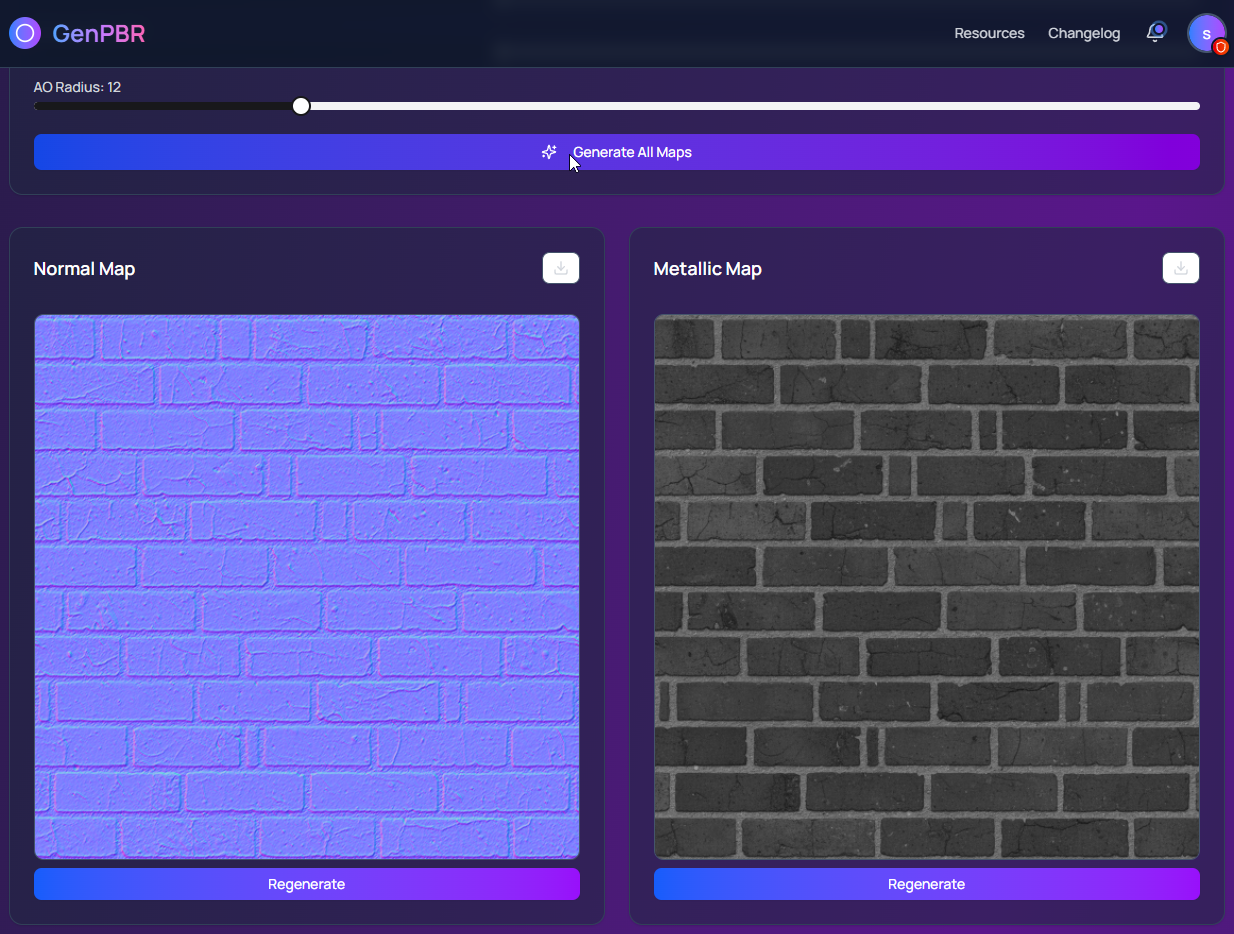
Instantly convert any diffuse map into a normal map with real-time sliders — no upload required.
2. Roughness, Metallic & AO Extraction
GenPBR applies physically-accurate algorithms used in game engines and offline renderers.
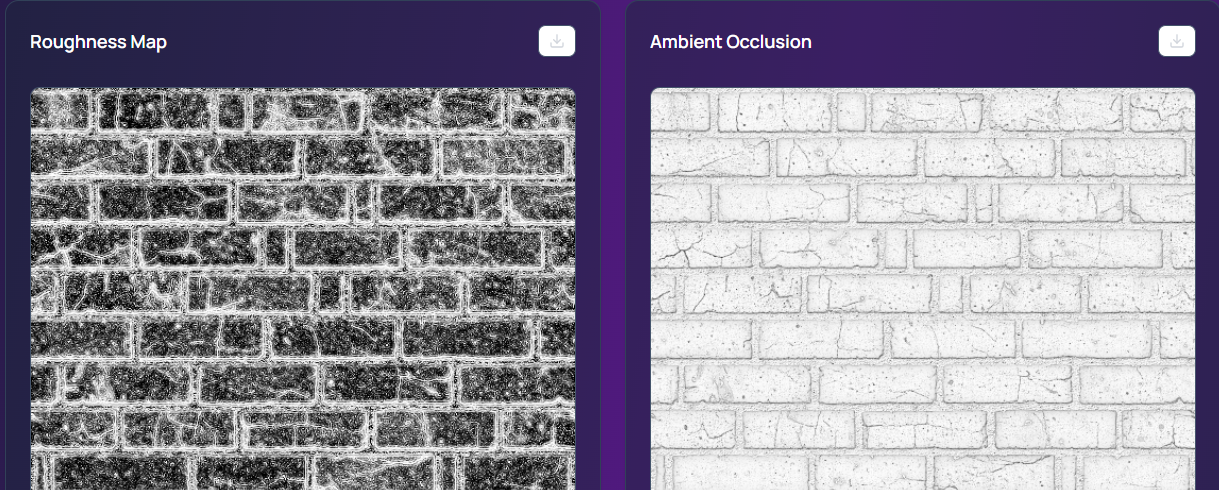
This means:
Realistic microdetail
Accurate energy behavior
Consistent cross-map interaction
All computed locally.
3. Style Variants Without AI Delays
Want a rougher metal or cleaner stone texture?
Changes update instantly because your GPU handles the math.
4. Full PBR Material Packs
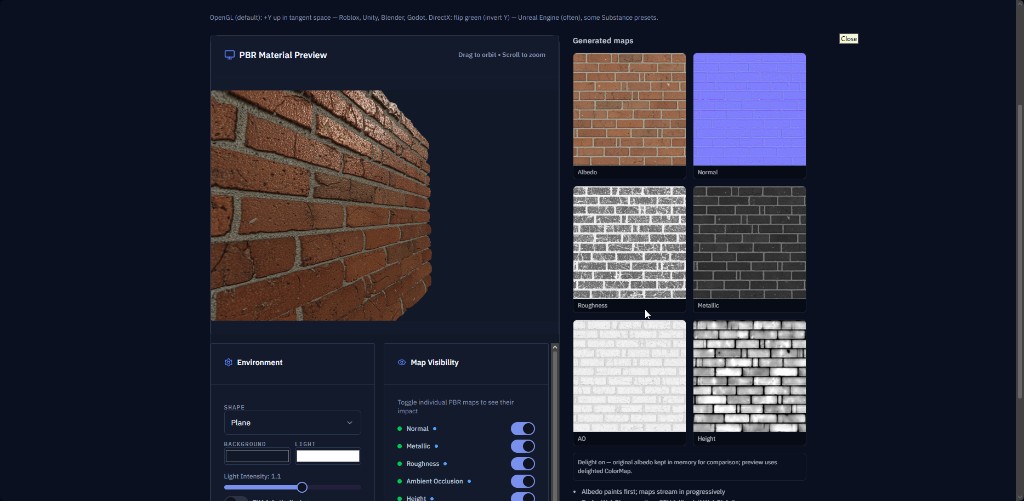
Diffuse, Normal, Roughness, Metallic, Height, AO — generated together with almost no latency.
Final Thoughts
A client-side PBR tool like GenPBR delivers a unique advantage in 2025:
Faster than AI
More private than cloud tools
More cost-effective than GPU-inference pipelines
Closer to real-time rendering workflows that artists already understand
If you need instant, accurate, production-ready PBR outputs, browser-based generation is not just convenient — it’s the smarter long-term approach. Give it a try!
About Star
GenPBR is a professional tool for generating PBR textures using industry-leading algorithms. Create photorealistic materials for games, architecture, and 3D art with proven techniques for Unity, Unreal Engine, Blender, Maya, and Roblox.