Article
Diffuse to Normal Map Online – Quick & Free Guide

Convert any diffuse texture into a normal map instantly using GenPBR’s free browser-based tool. This quick guide shows how to turn flat images into realistic surface detail in seconds — no downloads, no accounts, no AI delays.
Turning a flat diffuse texture into a detailed normal map is one of the fastest ways to add realism to your 3D models. Whether you’re building game assets, working in Blender, or creating materials for Unity or Unreal, GenPBR lets you convert diffuse to normal map online instantly — all for free and processed directly in your browser.
Below is a simple, step-by-step guide on how to generate clean, accurate normal maps from any diffuse image.
What Is a Normal Map?
A normal map is a texture that stores surface direction information using RGB colors.
Instead of adding real geometry, it fakes height and detail by telling your 3D engine how light should behave on a surface.
Normal maps help you:
Add bumps, grooves, cracks, and grain
Increase detail without increasing polygon count
Make materials react to lighting realistically
Improve game performance while keeping visuals sharp
In modern PBR workflows, normal maps are essential — especially when starting from a simple diffuse texture.
Why Convert Diffuse → Normal?
If you only have a diffuse texture, your surface will look flat. Converting diffuse to normal map online gives you:
Instant depth (stones, wood grain, tiles, fabrics, metals, etc.)
Higher realism in close-up views
Better definition under directional light
Improved shading and silhouette illusion
This is especially useful for:
Photographed textures
Scanned materials
Stylized assets
Procedural diffuse images that need extra punch
Instead of manually sculpting details or relying on heavy AI models, GenPBR generates accurate normals algorithmically — fast and predictable.
How GenPBR Does It Fast
GenPBR processes your texture entirely on your device, meaning:
No upload time
No server queue
No AI inference delays
No waiting for cloud processing
The generator uses advanced pixel-analysis algorithms to extract height and curvature data from your diffuse image, which is then converted into a clean, industry-standard normal map.
Because everything runs client-side in your browser (using WebGL or Canvas APIs), the conversion is nearly instant — even for large 2K–4K textures.
Step-by-Step: Convert Diffuse to Normal Map Online
1. Open the Free PBR Generator
Go to GenPBR and select Free Generator. No login or signup required.
2. Upload Your Diffuse Texture
Drag and drop your diffuse, base color, or albedo file into the upload box.
The tool supports JPG, PNG, and WebP.
3. Select Processing Mode
Choose between:
WebGL (GPU): Fastest, highest-quality results
Canvas (CPU): More compatible, slower but reliable
4. Adjust Normal Strength (Optional)
Use the intensity slider to fine-tune bump depth.
Higher values = stronger surface detail.
5. Generate the Normal Map
Click Generate to produce the normal map instantly.
You’ll also get optional roughness, metallic, and AO maps if needed.
6. Preview in Real Time
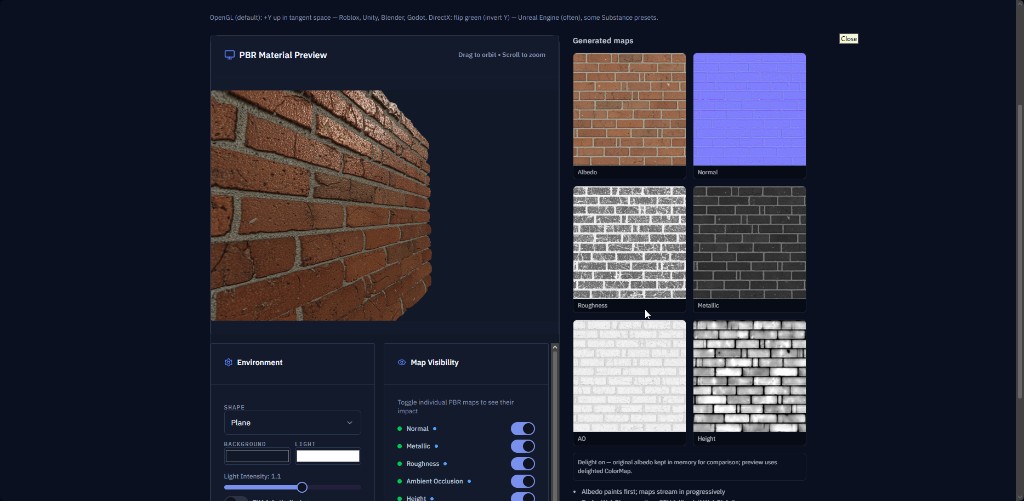
Use the 3D viewer to rotate a sphere, plane, or cube and inspect the result under different lighting.
7. Download Your Normal Map
Save the normal map or export a full PBR set as a ZIP.
Example Before/After
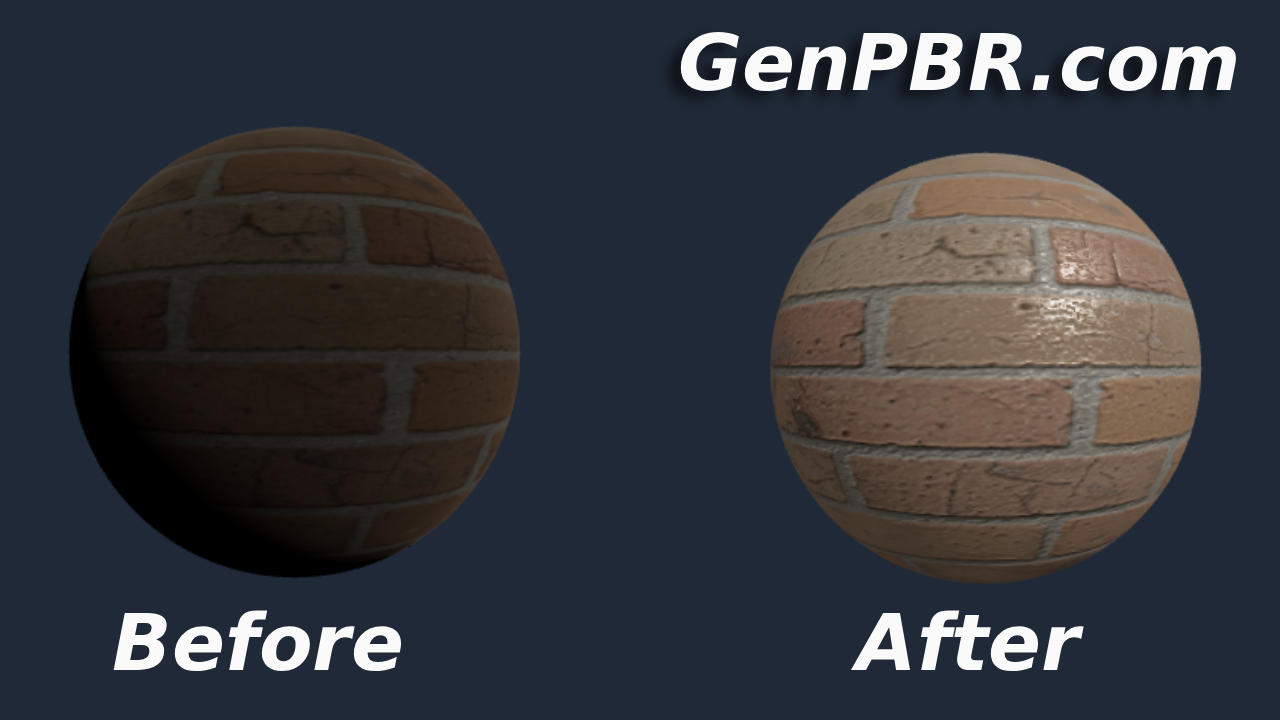
Give it a try yourself today! Start speeding up your workflow and produce amazing results!
About Star
GenPBR is a professional tool for generating PBR textures using industry-leading algorithms. Create photorealistic materials for games, architecture, and 3D art with proven techniques for Unity, Unreal Engine, Blender, Maya, and Roblox.