Article
Image to PBR: JPEG vs PNG, color shifts, and building a trustworthy source plate

Before any image-to-PBR or JPG-to-PBR step, your source plate needs predictable color. Here is a practical, tool-agnostic checklist, plus where GenPBR fits once the plate is stable.
Last updated: April 2026. Color management details vary by DCC and OS; verify your pipeline’s OCIO or color settings independently of any single vendor.
“Image to PBR” starts before any generator
Queries like image to PBR, image to Pbr material, JPG to PBR, and generate PBR texture from image usually describe the same underlying task: turn a 2D color plate into a consistent set of shading textures. The limiting factor is rarely “which button to click first”, it is whether the source plate is stable enough to derive secondary channels without amplifying artifacts.
JPEG vs PNG (practical, not religious)
- JPEG, Lossy compression can introduce 8×8 block patterns and ringing near high-contrast edges. Those patterns are real signal to a derivative-based operator, even if they are not real surface detail.
- PNG, Lossless categories preserve edges, at the cost of larger files. For iterative authoring, PNG (or a lossless intermediate in your DAM) is often safer when you know you will derive multiple maps.
This is why many studios keep a master plate separate from “social-sized” JPEGs.
Color casts and white balance
Phone and DSLR plates often carry white balance decisions that read fine on social media but skew metallic edge cases. Before you chase “wrong roughness,” confirm your base color is not carrying a global cast that should be corrected once globally, not per map.
Where GenPBR fits
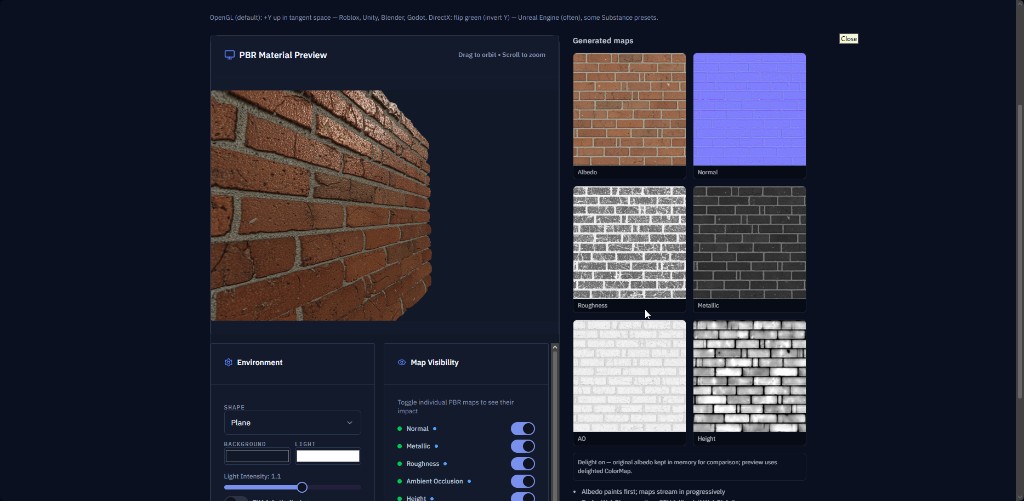
GenPBR is positioned as a browser-first workflow: upload a plate on /generate, preview, iterate channels, and export. The image to PBR marketing page exists to match image to Pbr texture-style searches while still pointing humans to the live tool.
If you need automation (build farms, CI, batch tools), review the PBR API documentation separately from the interactive generator, pbr material generator intent sometimes splits across “artist sessions” vs “pipeline jobs.”
Related hubs
- Diffuse to normal map, when your source is specifically albedo-like color
- Roughness map generator, focused roughness intent
- Pricing, credits, exports, and commercial terms change over time
No single article can replace your engine’s import validation suite, keep a golden test mesh with known lighting for every target platform you ship.
About Star
GenPBR is a professional tool for generating PBR textures using industry-leading algorithms. Create photorealistic materials for games, architecture, and 3D art with proven techniques for Unity, Unreal Engine, Blender, Maya, and Roblox.