Article
Free PBR textures to download in 4K: sources, checks, and how to fill missing maps

Where to download free PBR textures in 4K, how to confirm a file really is 4K, which licenses work in a commercial game, and how to generate the albedo, normal, roughness, metallic, AO, and height maps a free download leaves out.
Last updated: November 2026. Covers where to download free PBR textures, how to check that a "4K" download really is 4K, and how to generate the maps a download leaves out.
Most free PBR texture downloads give you a folder of JPGs with names like _Color, _NormalGL, and _Roughness, and not every folder is complete. If you want free PBR textures you can download in 4K and ship in a game or a 3D scene, you need three things: a source with a license you can actually use, a real 4K resolution (not an upscale), and a way to fill the maps the source skipped. This guide covers all three.
The short version
- Good free sources are Poly Haven and ambientCG, which publish CC0 sets, and GenPBR's own free material library, which has 45 seamless CC0 sets.
- "4K" is a claim you can check. Open the file and read the pixel size. A 4096 pixel file that looks soft at 100% zoom is often an upscaled 1K or 2K source.
- Missing maps are common. Many free sets skip height, AO, or metallic. You can generate those from the albedo with the generator tools.
- Data maps are not color. Normal, roughness, metallic, AO, and height must be imported as linear or non-color. Only albedo is sRGB.
What a complete PBR set contains
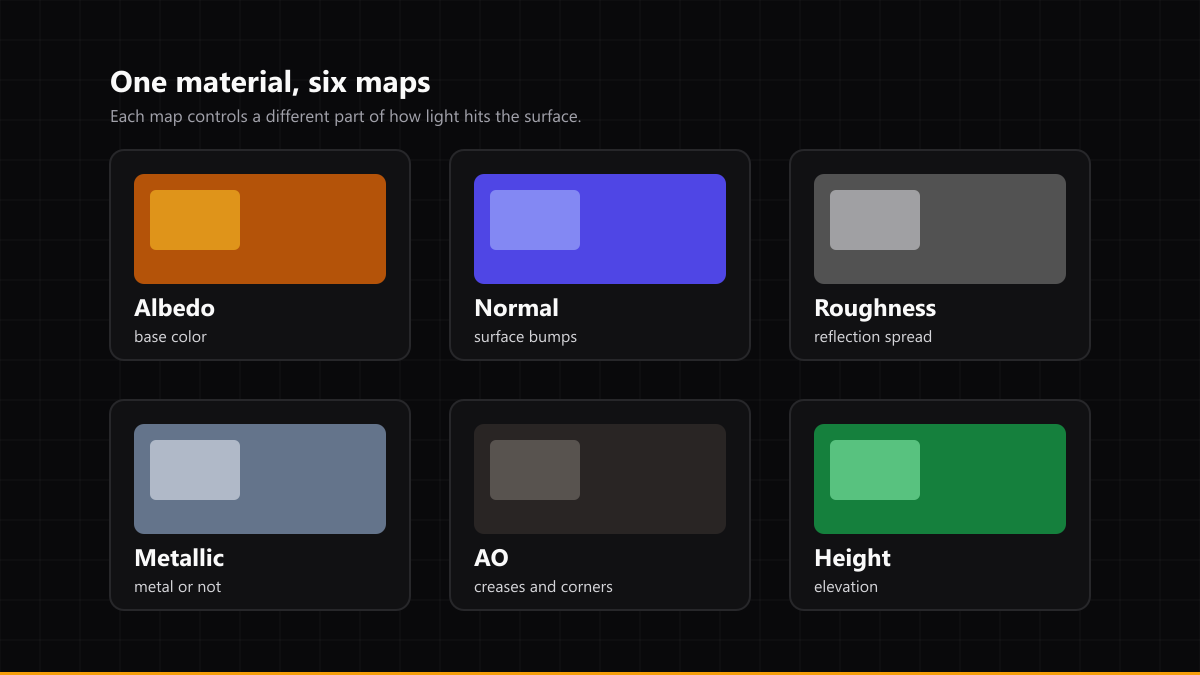
A physically based material is a stack of maps, and each one controls a different part of how light hits the surface.
| Map | What it controls | Missing it looks like |
|---|---|---|
| Albedo (base color) | The color of the surface with no lighting | Flat or wrong color |
| Normal | Fine bumps that catch light | Everything looks like smooth plastic |
| Roughness | How sharp or blurred reflections are | Every surface reflects like a mirror or like chalk |
| Metallic | Whether a surface is metal or non-metal | Metal looks painted, paint looks like chrome |
| Ambient occlusion (AO) | Darkening in creases and corners | Edges look floaty and unanchored |
| Height | Elevation for displacement or parallax | Flat surfaces even when the normal map shows depth |
If a download has albedo and normal only, you can still use it. You just need to generate the rest, which is covered below.
Where to download free PBR textures
These are the sources I would start with in 2026:
- Poly Haven publishes CC0 textures with a resolution picker. Check the picker before you download, because the largest files are not always the default.
- ambientCG offers a large CC0 library with per-map downloads, so you can grab only the channels you need.
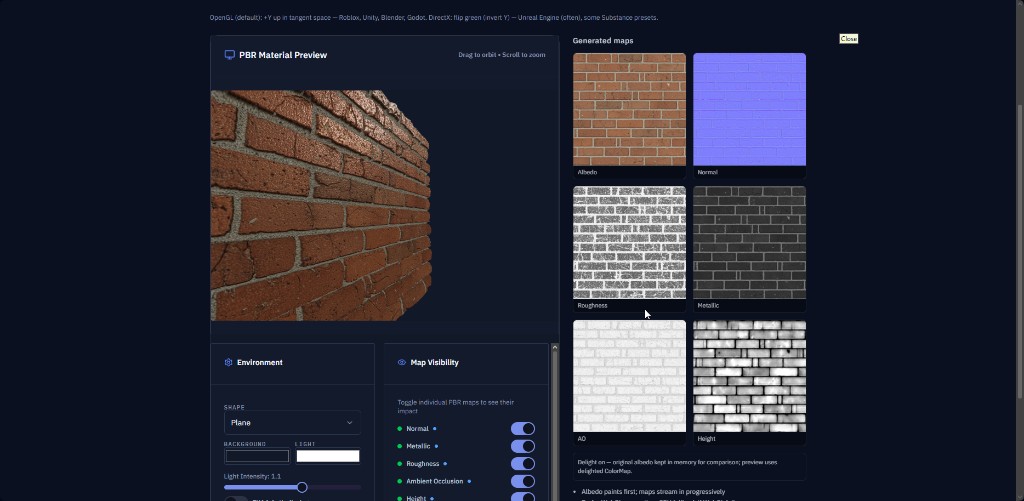
- GenPBR's free material library has 45 seamless sets covering metal, stone, wood, ground, and fabric. Each set includes albedo, normal, roughness, metallic, AO, and height, and each one has a live 3D preview before you download. Every set is CC0. Those files are 1024 pixels square, which is a deliberate size for quick iteration and mobile-friendly scenes.
- Your own photos work well if you can shoot them evenly lit. Pair them with the generator tools and you get a set that nobody else has.
Free sources change their terms, so read the license on the asset page each time instead of assuming the whole site shares one license.
How to check whether a "4K" texture is really 4K
A 4K texture is 4096 by 4096 pixels. Here is how to confirm it in under a minute:
- Read the dimensions. In Windows, right-click the file and open Details. On macOS, use Get Info. Look at the pixel width and height.
- Zoom to 100% on a detailed area, such as gravel or a brick joint. An upscaled file looks like a smeared version of a smaller file: edges are soft and there is no grain.
- Check the format. PNG and EXR keep detail. Heavily compressed JPEGs add blocks around fine edges, and those blocks turn into false bumps when you use the file as a height source.
- Check each map separately. A set can be 4K in albedo and 1K in normal. Mismatched sizes will show up as blurry relief.
If the set is 2K and you need 4K, it is usually better to keep the 2K and tile it than to upscale it. Upscaling adds pixels, but it does not add detail.
Licenses that matter when you ship a game
CC0 means you can use the texture in a commercial project without credit. Creative Commons Attribution (CC-BY) asks for credit. Some sites publish "free for personal use" sets, which may not allow a commercial game at all.
Before you ship:
- Keep a text file with the source URL, license name, and download date for each texture.
- Check the store or platform rules for uploaded assets. A license covers the texture. The platform's terms cover what you publish.
- If you modify a free texture and resell it as a pack, check whether the license allows redistribution. Many CC0 sets do, but some sources restrict it.
How to fill in the maps a download is missing
Start from the albedo. Most of the other maps can be estimated from it, and the estimate is good enough for most scenes.
- Normal map: from the albedo's luminance and local contrast. Use the normal map generator if you want to check the convention before importing.
- Roughness: dark, smooth areas in albedo usually mean low roughness on non-metal surfaces. Use the roughness map generator to get a starting point, then tune it by eye.
- Metallic: metals are usually defined by their color, so a metal set has metallic near 1 and a non-metal set has it near 0. Most real surfaces are one or the other, with few in between. The metallic map generator handles the mixed cases.
- Ambient occlusion: the crease and corner darkening. It is one of the easiest maps to estimate and one of the most visible when it is missing.
- Height: elevation in grayscale. Brighter reads as higher. This is what gives you real displacement and parallax, and it is the map most free sets leave out. The height map generator works from a single image.
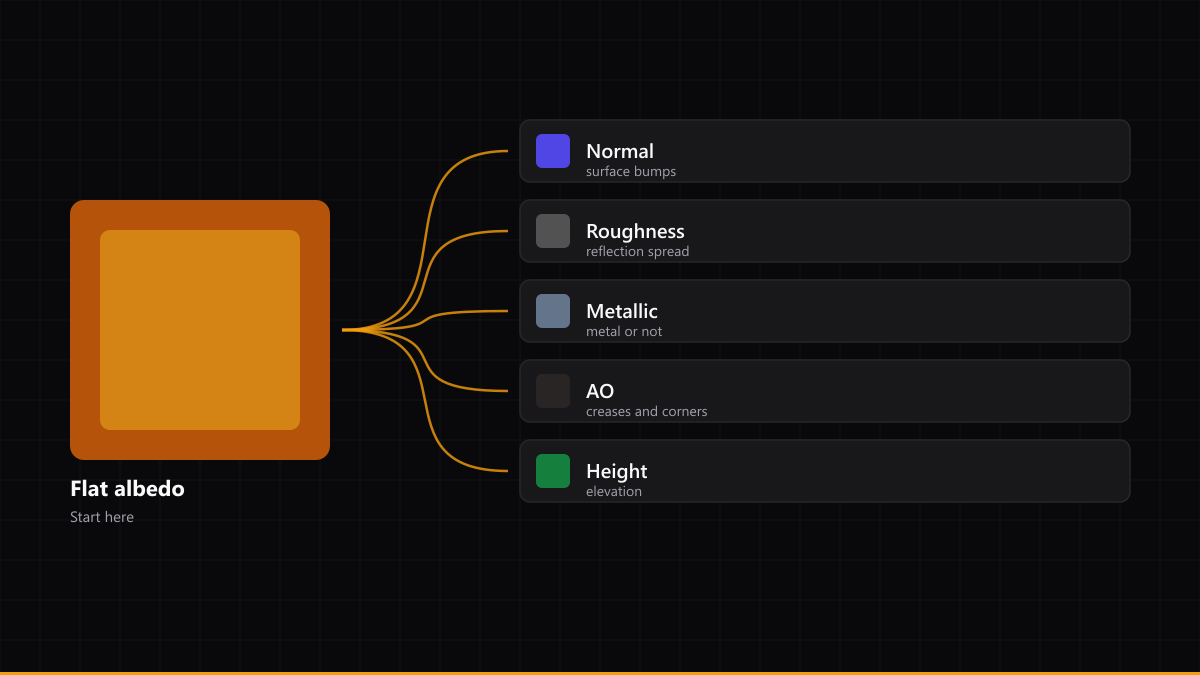
Generated maps are a starting point. Look at them on your actual mesh under your actual lights and fix anything that reads wrong before you export.
Setting up the maps in your engine
The most common import mistake is treating every map as color. Only albedo is sRGB. Everything else is data.
- Unity (URP or HDRP): set albedo to sRGB. Set normal to the normal map type. Set roughness, metallic, AO, and height as linear or non-color. Unity expects OpenGL-style normals, with green pointing up.
- Unreal Engine: albedo stays sRGB. Import normal, roughness, metallic, AO, and height with sRGB turned off. Unreal expects DirectX-style normals, so a Unity normal map may need its green channel flipped.
- Blender: plug albedo into Base Color, normal through a Normal Map node, and roughness, metallic, and AO into their own inputs. Use a Displacement node for height. Set the color space to Non-Color for every map except albedo.
- Roblox SurfaceAppearance: use albedo, normal, roughness, and metallic as the core set. Keep file names consistent so you can check them at a glance. If your pipeline supports height, keep it in the same size as the rest of the set.
If the normal map looks inverted, the green channel is almost always the cause. Flip it and compare before you change anything else.
Four mistakes that make free textures look fake
- Visible tiling. One texture repeated on a large wall shows its seams. Rotate, offset, or blend two variants, or use a set with a larger real-world footprint.
- Baked lighting in the albedo. A shadow in the color map gets lit twice when the scene already has light. Use a set that was shot or generated without shadows.
- Missing AO. Without it, the joints between bricks and the bottoms of walls look like they float.
- The same texture everywhere. Use one material on a whole building and the eye notices. Vary the tint, the roughness, or the tiling per surface.
Frequently asked questions
Where can I download free PBR textures in 4K?
Poly Haven and ambientCG both offer CC0 sets with 4K options. Check each file's pixel size before you download, because some sets list 4K but only include a 4K albedo.
Are free PBR textures safe to use in a commercial game?
CC0 textures are. Read the license for each asset, because "free" does not always mean "free for commercial use."
How do I know if a PBR texture is really 4K?
Open the file and read its pixel dimensions. Then zoom to 100 percent on fine detail. If edges are soft and there is no grain, the file was probably upscaled from a smaller source.
What if a free texture has no height map?
Generate one from the albedo or from a grayscale version of the surface. The height map generator does this in the browser. Use it for displacement or parallax, and keep the result modest so it does not distort the silhouette.
Do I need all six maps?
For a convincing surface, albedo, normal, and roughness do most of the work. Metallic matters for metal and AO matters for depth. Height is optional but adds real geometry-like relief.
Why does my normal map look inverted in my engine?
Unity and Unreal expect different green-channel conventions. Flip the green channel of the normal map and compare.
Can I use GenPBR materials without an account?
Yes. The materials library is free to browse and download, and every set is CC0. Use the generator when you have your own image and need the full set made from it.
Where to go next
If you want a finished set today, start with the free material library. Each set has a 3D preview, so you can check tiling and relief before you download.
If you have your own photo or albedo, open the generator. Upload it, choose the maps you need, and export. On the free plan, output is limited to 1024 by 1024 pixels. Paid plans remove that limit, so a 4K export is available when your project calls for it.
About Star
GenPBR is a professional tool for generating PBR textures using industry-leading algorithms. Create photorealistic materials for games, architecture, and 3D art with proven techniques for Unity, Unreal Engine, Blender, Maya, and Roblox.